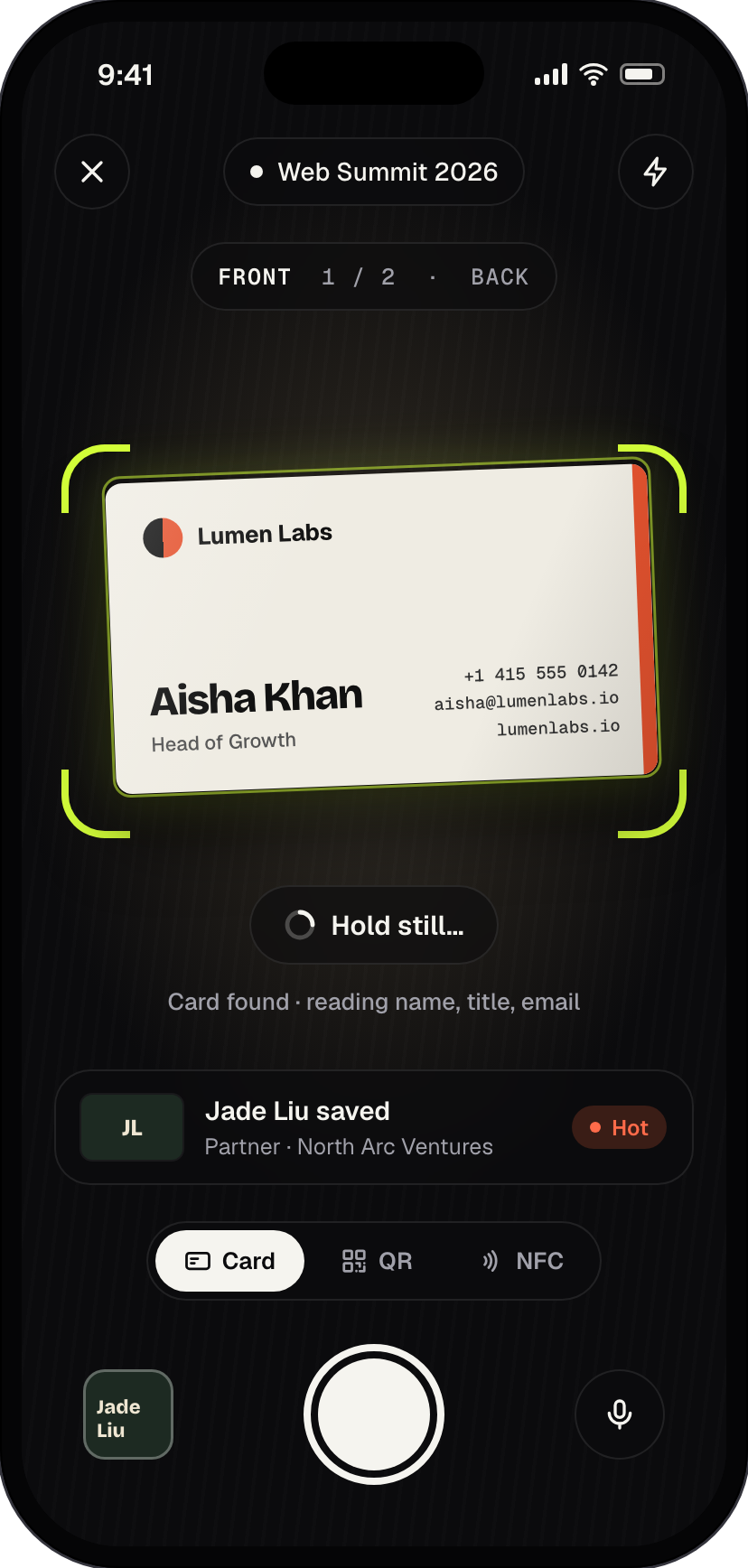
Hands-free capture, front and back
Plugd finds the card in frame, waits for it to be steady, and captures both sides. AI reads name, title, company, phone, email, website, LinkedIn and address.
Business card scanner
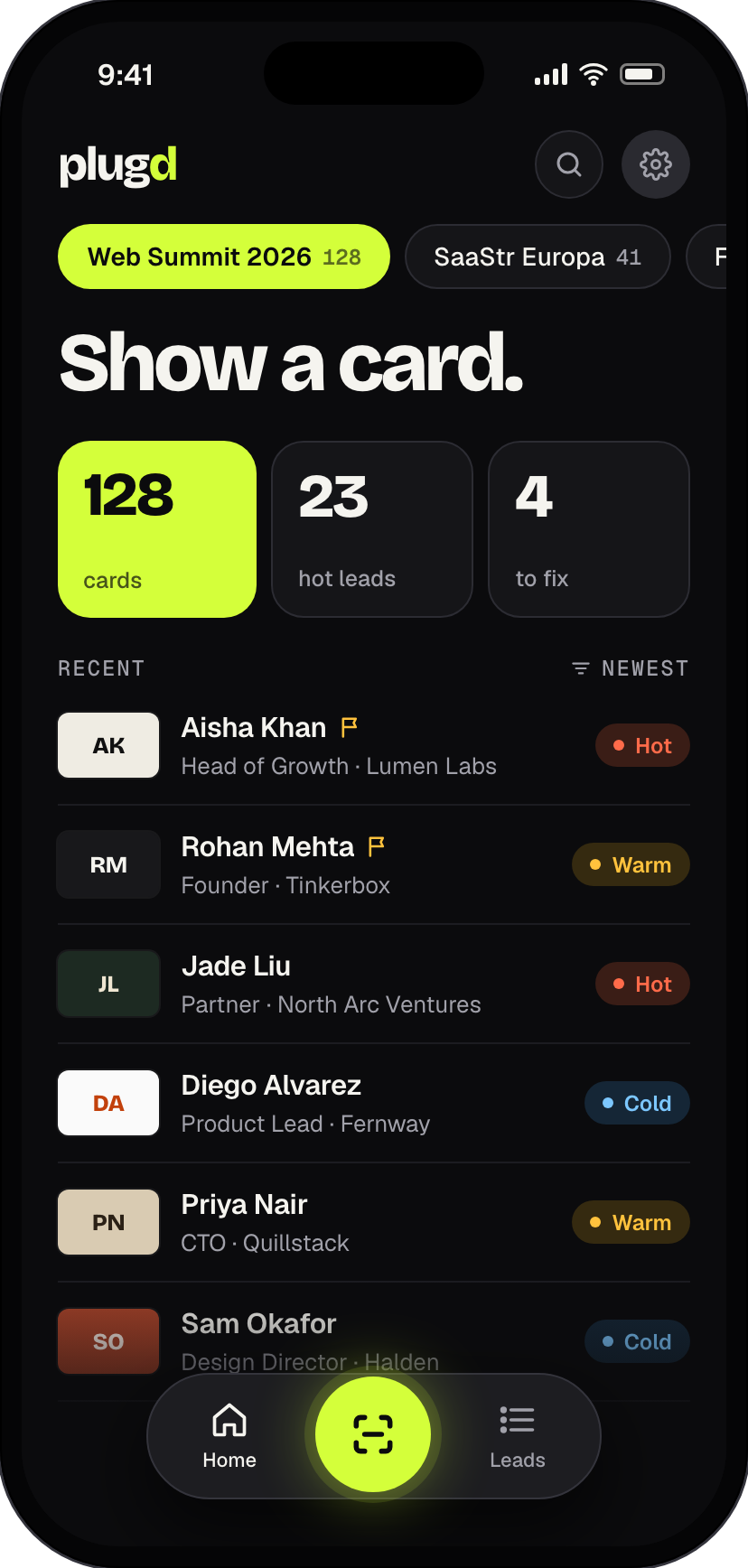
Plugd turns every card, QR badge and NFC tap from an event into a lead list you can act on: names read for you, hot leads flagged, one tap to your CRM.
And a pocket of names you can't place. Plugd reads each card the moment you get it, files it under the event, and lets you say why it mattered, so follow-up takes minutes, not a weekend.
How it works
Hold it up. Plugd spots the card, snaps the front, then asks for the back. No shutter button needed.
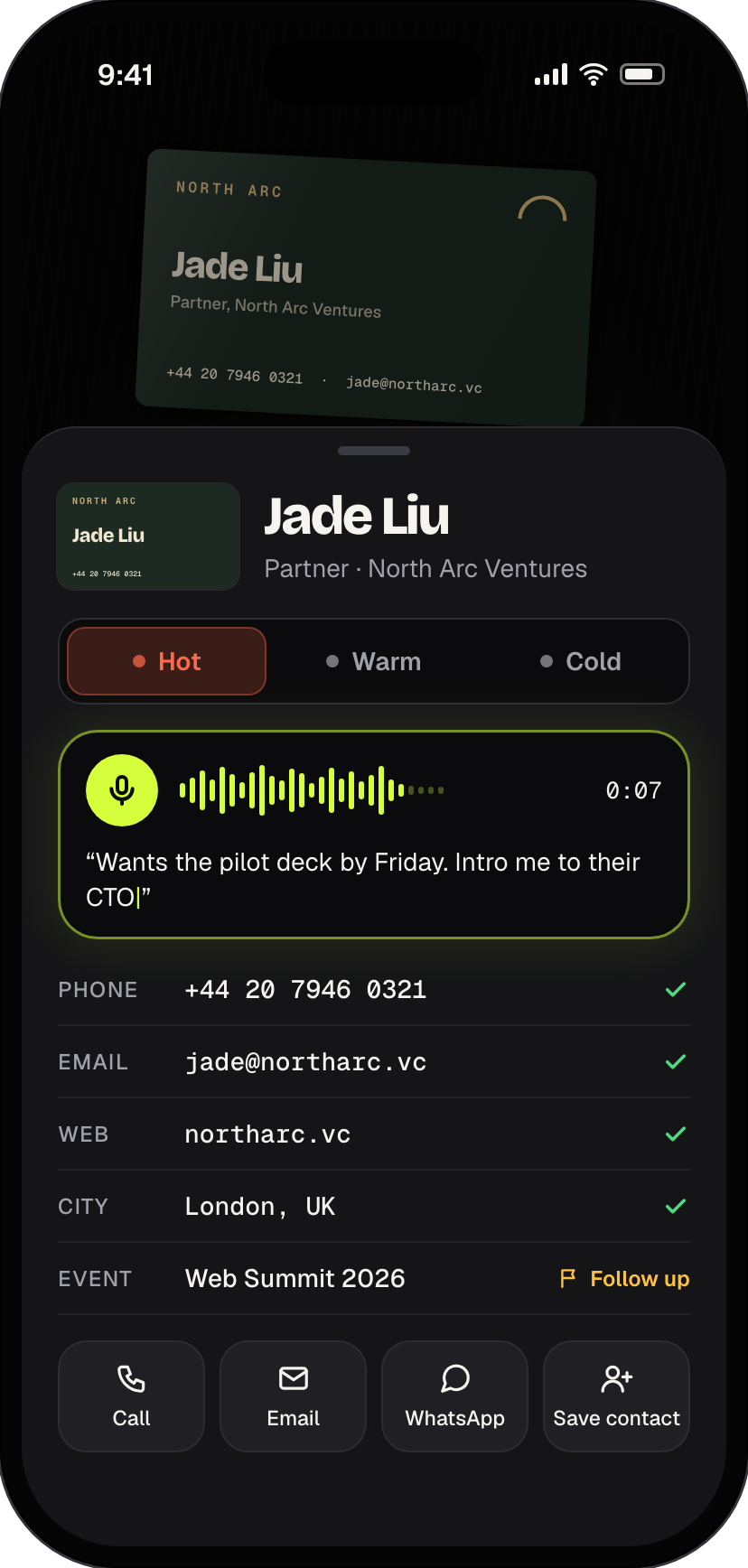
"Wants a demo in March." Talk while it saves; your note is written down next to the contact.
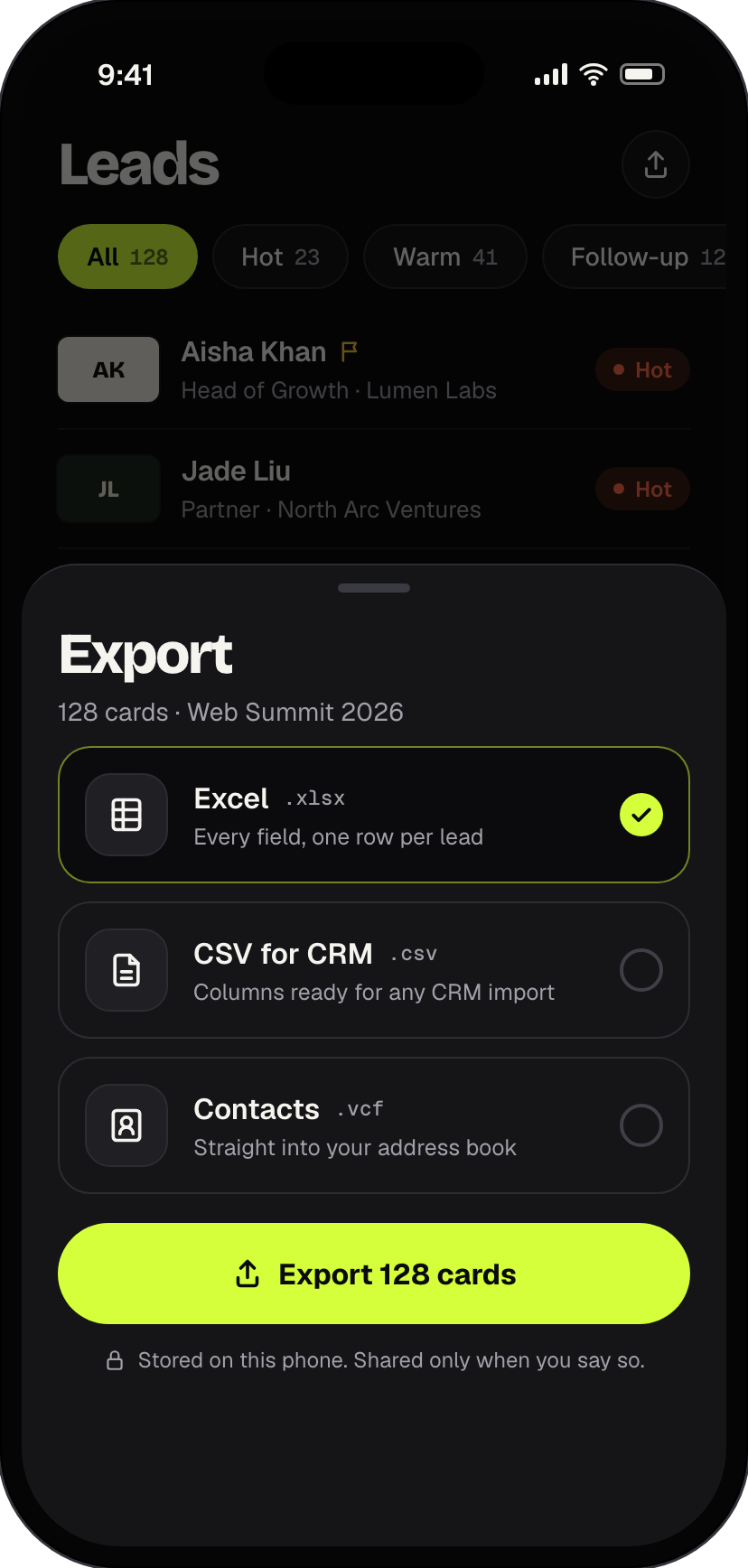
Tag hot, warm or cold, then export the whole event to Excel, a CSV for your CRM, or your phone's contacts.
Features
Fast enough to use mid-conversation. Organised enough that nothing gets lost after.
Plugd finds the card in frame, waits for it to be steady, and captures both sides. AI reads name, title, company, phone, email, website, LinkedIn and address.
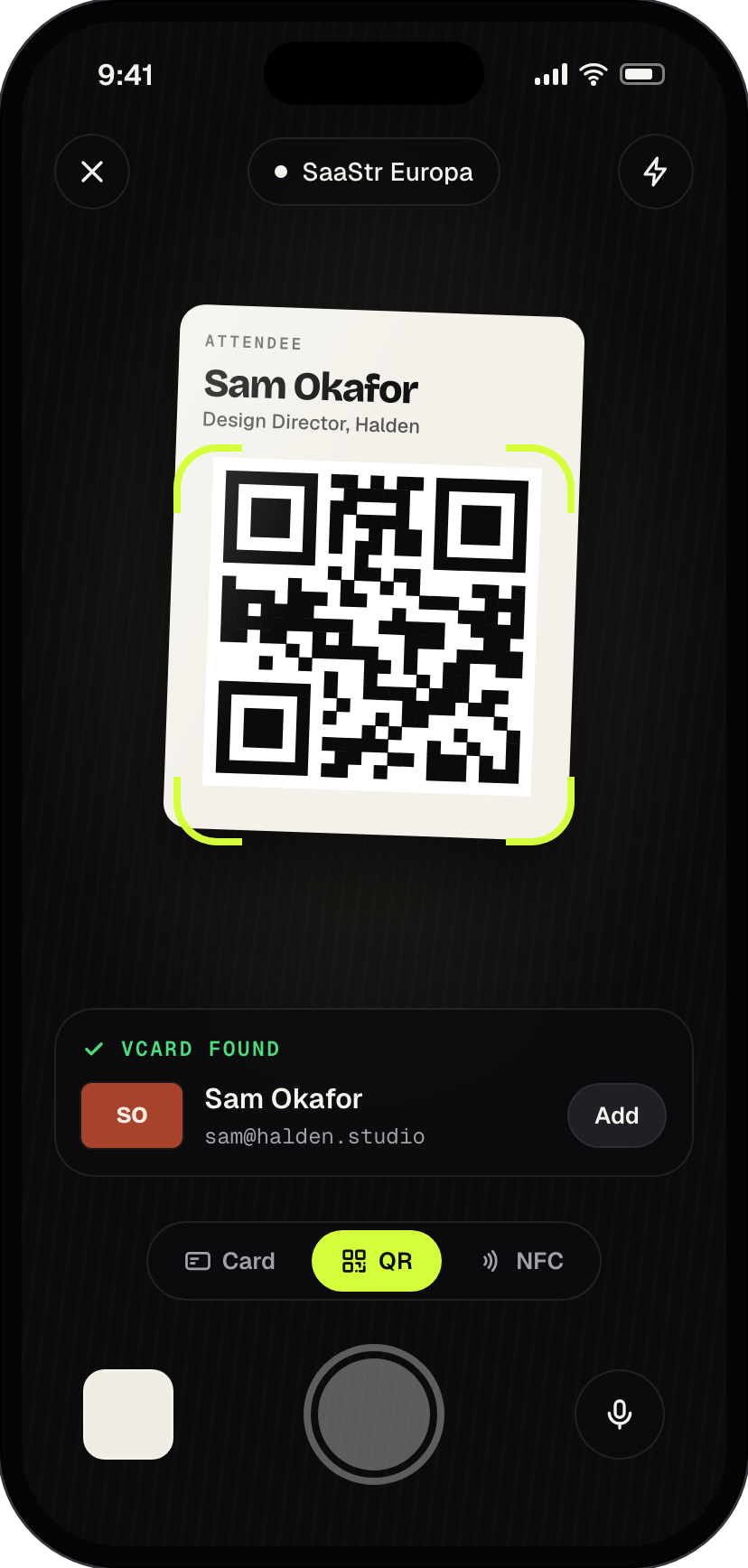
Scan a printed card, a QR code on a badge or a digital card, or tap an NFC card to the back of your phone. All of it lands in the same list.
Say what you talked about while the card saves. It's transcribed into the contact.
Tag every contact and flag who needs a follow-up. Filter to just the hot ones.
Cards are filed by event, with a running count, and duplicates are flagged for you.
Export an event, or just a filtered slice, to Excel, a CSV ready for CRM import, or contacts for your phone. Call, email or WhatsApp a lead in one tap.
No account and no Plugd cloud. Cards, photos and notes are stored on your device, and you choose which AI service reads them.
Privacy
Plugd has no servers holding your contacts. Read exactly what happens to your data in our privacy policy.
FAQ
No. Open the app and scan. There is no Plugd account and nothing to log in to.
Plugd sends the card photos to an AI model from the provider you choose in Settings (Google Gemini, OpenAI, Anthropic Claude or OpenRouter), using an API key you add. The provider reads the text and Plugd fills in the contact. Some providers offer a free tier; any usage charges are between you and that provider.
Yes. Switch to QR to scan a code on a badge or digital business card, or to NFC to tap a card or tag to your phone (NFC needs a phone that supports it).
On your phone. Plugd doesn't run a cloud service for your contacts. If you delete the app, its data is deleted with it, so export anything you want to keep first.
Export an event as a CSV and import it into your CRM, or use Excel (.xlsx). You can also save contacts straight to your phone's address book as a .vcf.
Tap the contact to fix any field, or choose Read again. Cards that couldn't be read are flagged under "to fix" on Home, and your photos and notes are always kept.
Install Plugd before you head out, add your AI key once, and every card from then on reads itself.